Eligibility-based visibility
The button is hidden for guests and for customers without the required saved data, and appears under every standard product once an address (and, on SFRA, a registered payment method) exists.

The package shows a Buy Now button on product listing and product detail pages for registered customers who have the saved data the flow needs, an address (PWA Kit) and, on SFRA, a payment method too. One click adds the product to the cart and opens a checkout modal with contact, address and shipping prefetched; the customer authorizes payment with the card security code.
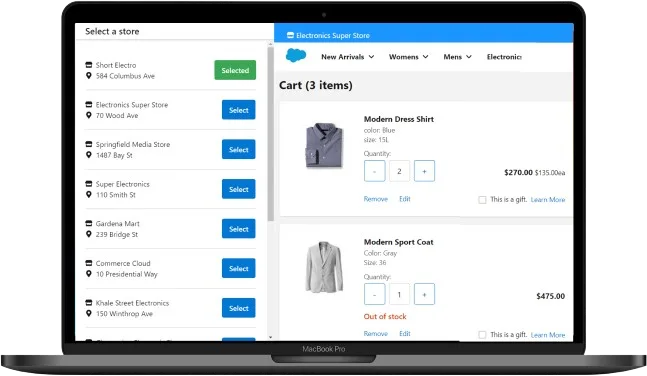
Production-ready functionality delivered as an ISV package for Salesforce Commerce Cloud.
The button is hidden for guests and for customers without the required saved data, and appears under every standard product once an address (and, on SFRA, a registered payment method) exists.
The button renders on listing tiles and next to add-to-cart on the product detail page, with identical flow.
Buy Now creates the cart and opens a modal showing product price, shipping method price, taxes and order total.
Contact email, default shipping address, default shipping method, billing address, phone and the registered payment method are fetched automatically; the security code is the only input required to place the order.
On PWA Kit the review step lets the customer switch to a saved address, add a new one, or change the shipping method with totals recalculated; on SFRA, edit links route to the classic checkout pages.
Canceling closes the modal and removes the product from the cart, so abandoned attempts leave no stale items.
A One Click Purchase configuration group in Merchant Tools enables or disables the feature and sets the button text, default Buy Now, for example Quick Purchase. Orders created through the modal appear in Business Manager with the same amounts.
Watch the One-Click Purchase & Fast Payment features in action on real SFCC storefronts. More walkthroughs on our YouTube channel.
Standard products move from a multi-page checkout to a single dialog for logged-in regulars.
Turn saved-profile data into the shortest possible path to an order.
One dialog replaces the full checkout flow on small screens.
Everything a buyer repurchases monthly, from personal care to pet food, becomes a two-action order: pick the product, enter the security code.
A shopper who knows exactly what they want skips browsing-the-cart-and-checkout entirely; the modal confirms price, shipping and taxes before payment is authorized.
Test the button on or off, or relabel it for a campaign, from Custom Preferences without a deployment, and the flow itself never changes.
Everything except the security code is prefetched; one input and one click place the order.
Canceling the purchase removes the product from the basket automatically.
Feature on/off and button copy are configuration, not code.
Orders created through the modal appear in Business Manager with the same product, shipping and tax amounts as a full-checkout order.
The button only appears when the customer actually has the saved data the flow needs, so nobody meets a broken shortcut.
The modal shows the complete order summary and allows address and shipping edits, so speed does not come at the cost of control.
After buying the package on AppExchange, install it in a sandbox and follow the setup guide in the preview repository. When it behaves as expected, promote it to production. If you would rather not run the rollout yourself, implementation in your SFCC instance is available as a fixed-price service.
Paid add-on required: this solution works with products or services external to Salesforce. Discounts are available for nonprofits.
The license ships the package. These fixed-price services cover everything around it.
We install and configure the package in your SFCC instance, wire it to your sites and price books, and validate every flow in your sandbox before production.
Version updates that track Salesforce B2C Commerce API and PWA Kit changes, plus priority fixes. Your package keeps working through every platform release.
UI adaptation of the package components - store picker, badges, modals, buttons - to your storefront design system and brand guidelines.
The preview repo lets you inspect the package architecture, components and setup instructions before you buy. It is a structural preview: the full production code ships with your licensed package.
Open preview repository PreviewAll packages are published by AppSpring as a Salesforce ISV partner since January 2023.
Tell us about your SFCC instance and we'll send a fixed-price plan with timeline.
The names and details of our white-label consultancy portfolio are subject to a Non-Disclosure Agreement (NDA), so we can't list them publicly. Tell us who you are and we'll share more with you directly.
We'd love to connect you with our client for a quick recommendation call. Please note that this is subject to the client's availability — more recent clients tend to be more open to such conversations. If the specific client isn't available, we'll do our best to connect you with another satisfied client who worked on a similar project.